AI work notebook
You talk. Whisperall takes notes and organizes the work.
Record a meeting, dictate an idea or drop in a PDF. Whisperall turns it into text, summarizes it and pulls out the tasks. It all stays in your notebook, for your work, your studies or whatever you create.
Record, dictate or drop in a PDF. Whisperall turns it into notes and tasks in your notebook.
Free to start · No card · Windows, macOS and Linux

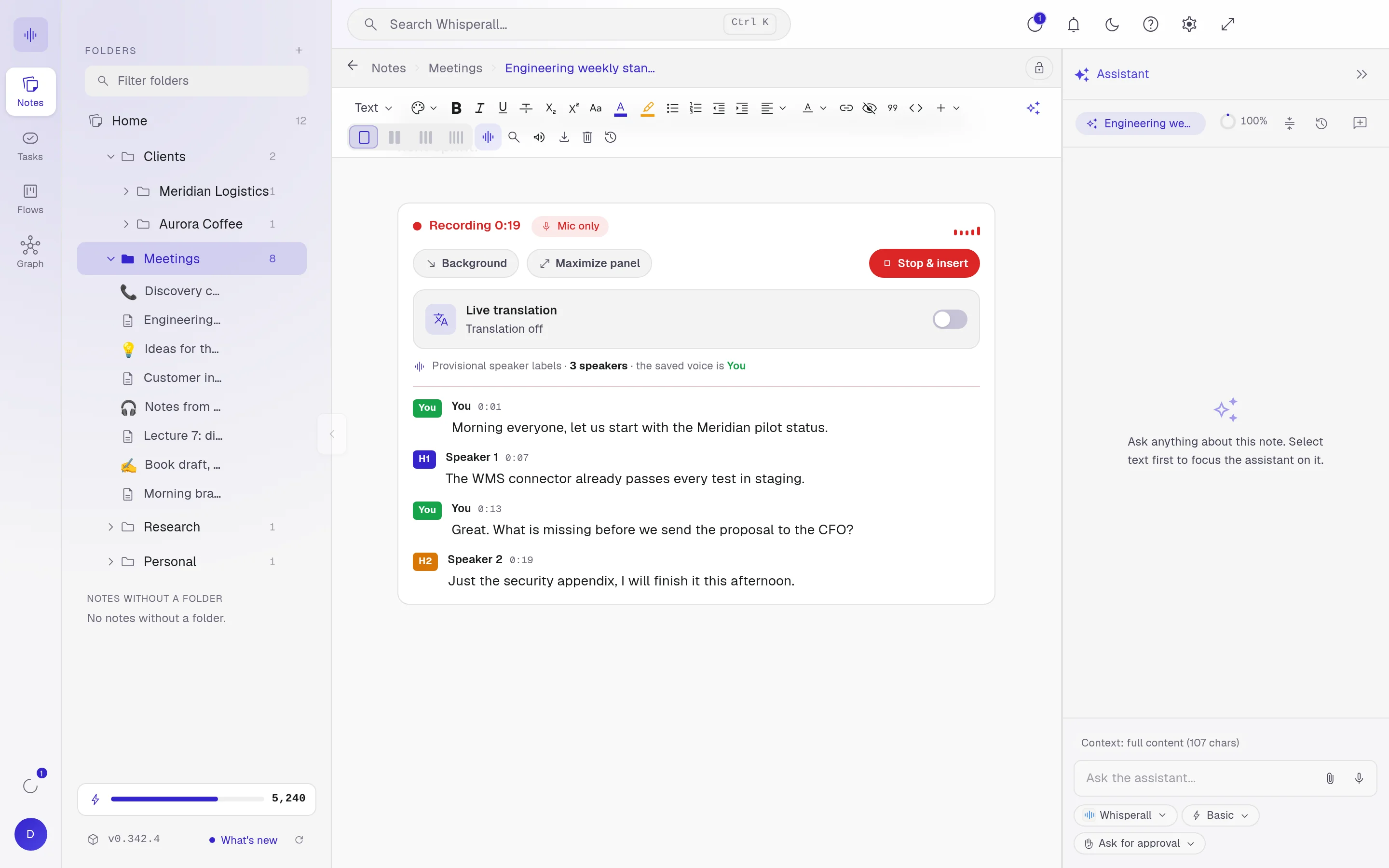
This is the real app, with sample data.
Sound familiar?
Work gets lost between what’s said and what’s written down.

“I leave the meeting and I’ve already forgotten half of what we agreed.”
Record the meeting. Every word stays in your note, with who said it.
“My best ideas come when I can’t write.”
Dictate them while you walk. Whisperall writes for you and helps you finish the sentence.
“My notes are in three apps and my tasks in none.”
One notebook: the note, the task and the client, linked.
How it works
Capture without thinking.
Record the meeting, dictate while walking, drop a PDF or paste a link. It all lands as text in your note, at the cursor.
Your tasks, up front.
What comes out of a note becomes a task with a date and a project. Time it with the timer and pin up to five on your desktop until they are done.
Everything at its stage.
Goals, clients, projects or orders move through stages in your flows, with their notes and tasks attached.
All connected.
Notes, tasks and flows are linked in a graph. Save views and discover what relates to what, like a map of your mind.
Capture
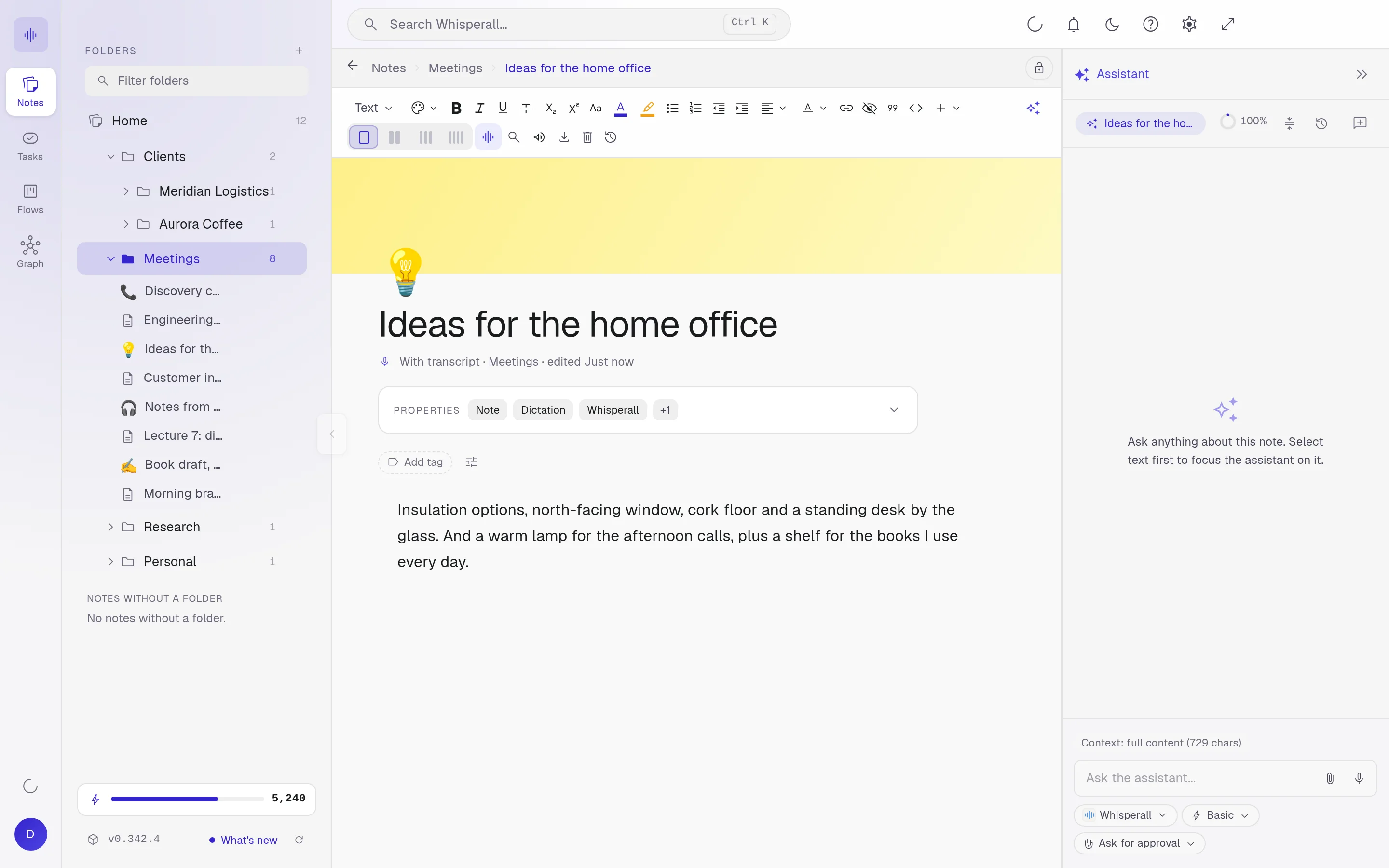
Any source. One note.
Everything lands at your cursor as editable text, in the same typography as the rest of your note.




And back to you
Flows
From word to work.
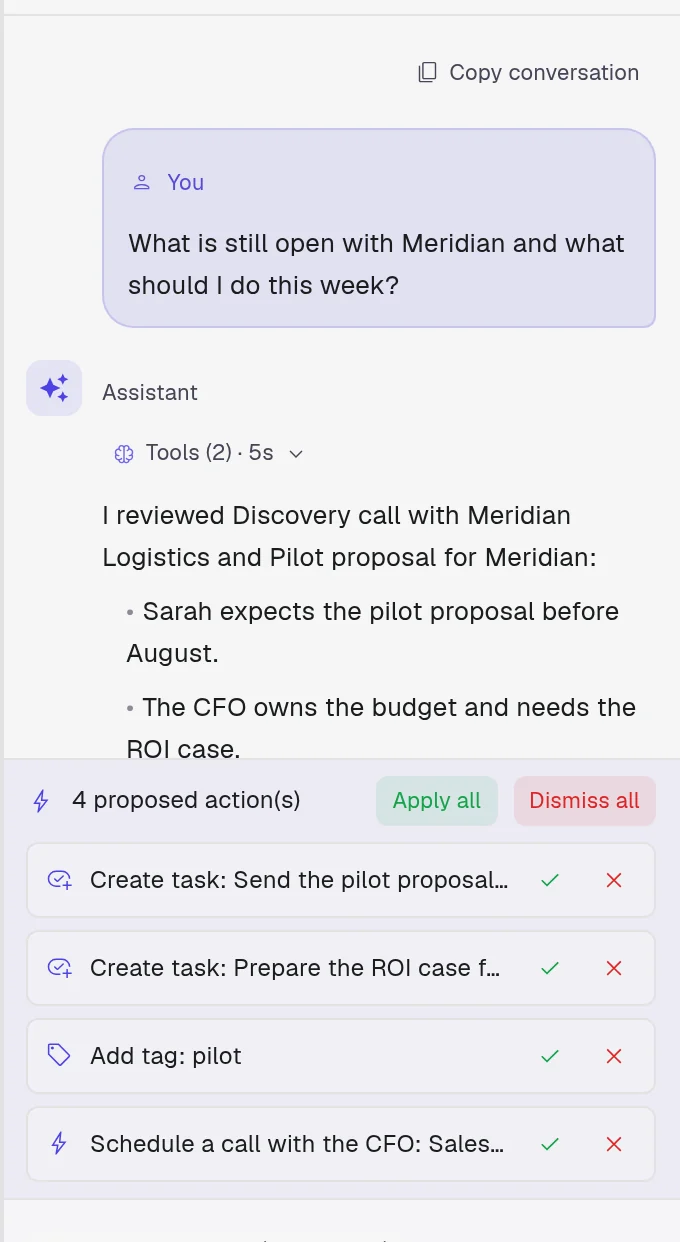
What you dictate becomes a task with a date and a card that moves through the stages of your board. Ask your AI and approve what it proposes.
Talk in your note
Talk where you work. Decide every change.
Ask about your note, your tasks or your meetings without leaving them. Your AI saves the conversation with the note and picks it up when you come back. By default nothing changes until you approve it.

Intelligence
Top-tier AI, without paying more.
Whisperall works with two levels of AI: a fast one for everyday work and a frontier one for the hard parts. We pick them by their intelligence and cost in independent evaluations, and switch when a better one comes out. You never switch subscriptions.
Models are picked by their score and cost on Artificial Analysis, an independent evaluator.

One notebook
What you pay for in four apps, from one pool of credits.
Whisperall brings together the AI tools people use most for work and pays for them from a single pool of credits. You decide what to spend it on.
 In Whisperall
One plan covers all four with credits. The entry plan brings 2,000 credits a month, about 3.7 h of video calls or 11 h of dictation. And everything stays organized in your notebook.
- Transcribe files and linksFiles up to 10 hours and batches of up to 500. The transcript lands in your notebook, ready to work on with AI.
- Meeting notesSeparates voices live and translates as people speak. Keeps the audio on your computer and runs on Linux too.
- Dictate in any appNo minute cap per dictation. Start and stop it with your voice, translate it and apply your own prompts. If the internet drops, the audio stays on your computer.
- Listen to what you readSelect text in any app and hear it read aloud, in many voices.SoonTranslate first, then read it to you in your language.
Monthly list price of each service’s paid individual plan, checked on September 24, 2026. Prices may change. In Whisperall, every use spends credits from the same pool.
No bots in your call
Transcribe anything playing on your screen.
A video call, a livestream or a conference you were invited to by link. Whisperall transcribes it live without adding anyone to the call, separates the voices and translates it into your language. And if you want to join in, you dictate in your language and it’s written in theirs.
Records your computer’s audio and your microphone. On Mac, with macOS 15 or later.
Read aloud
And when you need it, the text talks.
Listen to your notes or whatever you select in any app, read aloud in many voices.
Features
Every feature, up close

Who it’s for
Professional, student or creator. Your way of working, made simpler.


For lawyers
Draft the brief while the case is still fresh in your head
No risk
Try it without losing anything.
Not your words, not your files, not your money.
Pricing
One pool of credits. You decide where it goes.
The whole notebook is free. AI is paid with credits you spend on whatever your work needs: the whole meeting, the full PDF or the dictation while you walk.
The 150 free credits are granted once. If credits run out, the notebook keeps working.
Questions, answered
In a chat you talk somewhere else and then copy the result. In Whisperall you talk inside your note, see every change before it touches your text and find the conversation in the same note. You write, dictate and correct on top, so the text still sounds like you.
Not to chat. Connect your ChatGPT account through Codex, or your GitHub Copilot, Grok or OpenCode account, from Settings. Today you need to install that service’s tool on your computer. Those conversations don’t spend Whisperall credits. Credits pay for what no chat plan gives you: dictating, recording meetings and separating every voice, transcribing files and links, pulling the text out of scanned documents and autocompleting as you write. ChatGPT and Codex are trademarks of OpenAI. GitHub and Copilot are trademarks of GitHub and Microsoft. Grok is a trademark of xAI. OpenCode is a third-party project. Whisperall is not affiliated with any of these companies.
Yes. Notes, tasks, flows and the graph are free forever, no card. AI uses credits and you get 150 the first time to try it.
The notebook keeps working. Only AI pauses until your credits renew or you change plans. Nothing is locked or deleted.
No. Whisperall records your computer’s audio and your microphone, so nobody else joins the call. On Mac you need macOS 15 or later for system audio.
By voice, not by microphone: Speaker 1, 2 and 3 even on one channel. Labels appear live, get refined when it ends, and you name them.
Keep using them. Whisperall opens your .docx files and your Obsidian folder, and what you do here is saved to your files.
Your dictations and meetings are saved to your disk as you speak, so nothing is lost if something fails and you can transcribe them again. To transcribe, the audio is sent to the cloud. The files and links you transcribe are kept with their note so you can play them back.
Simple enough for anyone. Powerful enough for you.
Download Whisperall free and keep your notebook forever. AI is paid with credits, only when you use it.
Windows · macOS · Linux · Android and iOS on the way

 Your AI work notebook